Каждый день мы раздаем лицензионные программы БЕСПЛАТНО!
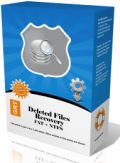
Giveaway of the day — GRT Deleted Files Recovery
GRT Deleted Files Recovery был доступен бесплатно 6 октября 2009 г.

GRT Deleted Files Recovery это простое и удобное приложение для восстановления данных. Чтобы восстановить данные, вам не потребуется никаких специфических компьютерных навыков или знаний. Используйте программу GRT Data Recovery чтобы восстановить удаленные данные или чтобы отменить форматирование и восстановить файлы с дискет, карт smart media, USB флеш карт и других портативных носителей.
GRT Deleted Files Recovery поможет вам восстановить данные с разделов FAT16, FAT32 и NTFS.
Возможности:
- Поддерживает файловые системы FAT12, FAT16, FAT32, NTFS.
- Восстанавливайте данные, даже если Корзина была очищена или файлы были удалены комбинацией клавиш Shift+Del.
- Простой и понятный интерфейс.
- Для использования программы не требуется никаких специфических знаний.
- Восстановление файлов из пропавших папок.
- Поддерживает жесткие диски IDE, ATA, USB и SCSI.
Системные требования:
Windows 2000, XP, 2003, Vista and Windows 7
Разработчик:
GRTSoftОфициальный сайт:
http://www.grtsoft.com/recover-deleted-files/Размер файла:
2.03 MB
Цена:
$49.95
GRTSoft также предлагает

Batch Picture Resizer это программа для автоматизации таких процессов, как изменение размера фотографий, конверсии и наложения водяных знаков.

Advanced Woman Calendar это удобный календарик овуляций, который позволяет следить за менструальным циклом. Программа высчитывает безопасные дни для занятий сексом и позволяет вам достичь или избежать беременности и даже поможет предсказать пол будущего ребенка.
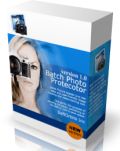
Batch Picture Protector это удобный и мощный инструмент для наложения водяных знаков на фотографии. Программа поможет вам защитить свои работы, добавляя разнообразные прозрачные водяные знаки, сочетающие в себе текст, иллюстрации и графику.

Private Photo Album это программа для создания личных фотоальбомов. Особенно полезна такая программа будет влюбленным парочкам или подросткам, которые захотят хранить фотографии на компьютере, защищенными от всех. В программу входит просмотрщик для фотографий и возможность создавать слайдшоу.
Комментарии
Понравилась программа? Оставьте комментарий!

The Good
* Scans quickly.
* Supports scanning of internal hard drive and external media (USB/flash drives and external hard drives).
The Bad
* Horrible recovery rate (only reads from MFT?).
* Shows all non-deleted files; no way to turn this off either.
* No way to go back to step 1 after you get to step 2 (bar closing and reopening program).
* "Preview" of files does not work.
* Does not specify the "recoverability" of files.
* No help file or proper documentation.
Free Alternatives
DiskDigger
For final verdict, recommendations, and full review please click here.

This Software is published several times on this Site. But "EASEUS Data Recovery Wizard Professional" is much advanced then this. So I advice every body not to download this. PC becomes much slower than normal. So ne'er install this.
If you have any queries regarding this, please feel free to contact me at "sukha.sukhjinder@gmail.com".
Thanks!
Running GRT Deleted Files Recovery & Recuva 64 in win7 64 RC, scanned a 1 TB drive I use exclusively for temporary data storage (drive backups, movies, VMs etc), which at the moment is about 1/3 full. To make things easier I selected 7 text files (logs) that Recuva 64 showed as Orange (maybe iffy) & recovered them in both apps. The results were identical with 2 of the 7 files containing parts of other files, & a 3rd containing none of the original log. GRT Deleted Files Recovery had none of the options in Recuva 64 -- no ratings, no choice of views, no deep scan, & wouldn't even minimize -- but in this case the results were the same. As #13 pointed out, mileage with this sort of app varies, so with the app taking up less than 2 MB I'll use PortableAppCreator [from the forums @ portableapps.com], & stick it on a rescue USB stick (just in case)... hopefully I'll never have reason to fire it up again. :-) [BTW, if you use/have USB sticks for rescue, with apps, whatever, Odin seems to work nicely to create a backup image -- Paragon & most others won't work for USB stick images]
Otherwise, it can help to store anything that changes often -- say any new docs or video or images you're working on -- on another drive/partition... Windows writes to the system drive constantly, so you've got a much greater chance of any deleted files on that drive being overwritten, making them unrecoverable. If you do need to recover a file or files, act quickly to make sure nothing else is written to that drive, even if it means powering off your system, but after that it usually pays to be a bit patient. By 1st creating an *exact* image of the drive with the lost data, then restoring that image to another drive or partition, you have something to work with, even if the original drive is failing, & you don't have to worry about data being overwritten -- worst case just restore the image again.
To help out, Easeus free Disc Copy is an iso file you burn to CD, creating a bootable disc with image backup/restore -- handy if you don't have or can't access earlier backup GOTDs from Paragon. And DrDD- DataRescue's DD freeware has options to help get that data off of problem drives.
Once you have an exact image of the drive with the lost files, don't forget Windows' System Restore -- ya never know when you'll get lucky. Of course it will write to the drive with the files you're hoping to recover, so the image comes 1st. If you're in Vista or 7, the free Shadow Explorer might help out -- it lets you look for & restore individual files rather than having to restore everything.
#13, John, when people claim that some other recovery software works better than Recuva, I'm always strongly inclined to suspect that the wrong options were used with Recuva. First of all, make sure that you're using the latest version, as it's updated frequently (I always let it check for updates). If you're using the wizard, don't restrict it. For File type, always select Other (Show all files). For File location, let it search everywhere ("I'm not sure"), or an entire logical drive ("In a specific location", specifying the entire drive). Do not Enable Deep Scan for normal cases, that's for cases where the drive has been quick-formatted or the partition or file tables have been damaged. If you use the wizard, after the scan completes, you can switch to Advanced mode, where you can set the Options (of course, you need to do a new scan if you change Scanning options).
Do not use the (logical) drive which has the data that you want to recover, and do not recover to that drive.
My early experience of computing involved saving data to domestic cassette tapes, and learning the necessity of backups. Today I have my recycle bin disabled; when I delete something it is deleted and I have yet to delete something in error. Yet, being paranoid (or sensible?) I have checked out several file recovery programs. Today’s GOTD would definitely NOT be the one I choose to have installed for that inevitable day. By the way, it is worth having one installed as accidentally deleting something then installing a recovery program on the same drive is likely to overwrite what you are trying to recover!
iPhone предложения дня »





Android предложения дня »





Фигня какая! Запустил - показывает доступные к восстановлению файлы. Почему-то их список совпадает с присутствующими на диске файлами. То есть НЕУДАЛЕННЫМИ.
А в качестве хохмы: "восстанавливать" эти файлы (не удалённые!!!) отказывается в незарегистрированной версии.
Save | Cancel