Каждый день мы раздаем лицензионные программы БЕСПЛАТНО!
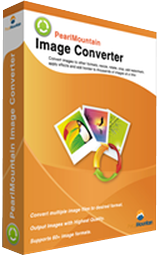
Giveaway of the day — PearlMountain Image Converter 1.2.8
PearlMountain Image Converter 1.2.8 был доступен бесплатно 12 апреля 2016 г.

PearlMountain Image Converter – программа для конвертирования фотографий как в обычном, так и в пакетном режимах. Она поможет преобразовать изображения в другие форматы, изменить их размер, перевернуть, обрезать, добавить водяной знак, применить эффекты, а также добавить рамки к тысячам изображений одновременно.
Системные требования:
Windows 2000/ XP/ Vista/ 7/ 8/ 10; CPU: Intel Pentium IV 1.0GHz, AMD Athlon XP (equivalent) or higher recommended; Memory: 256 MB (512 MB or higher recommended); Hard Disk: 150 MB (200 MB or higher recommended)
Разработчик:
Pearl MountainОфициальный сайт:
http://www.pearlmountainsoft.com/pearlmountain-image-converter/Размер файла:
9.9 MB
Цена:
$39.90
Pearl Mountain также предлагает
Picture Collage Maker — это простая в использовании программа, позволяющая создавать захватывающие коллажи на Windows. Создавайте коллажи, альбомы, постеры, открытки, пригласительные, календари и любые поздравительные, какие можно только вообразить!
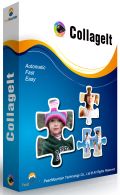
CollageIt – это простая в управлении программа для автоматического создания коллажей на Mac OSX и Windows. Всего в несколько секунд она может превратить любые фото в удивительные коллажи.
Комментарии
Понравилась программа? Оставьте комментарий!
Often when there is a simple registration procedure the program itself is often easy to use.
This didn't happen in this case; a pleasant and simple looking interface that was surprisingly clunky in its use, that is it didn't behave as I expected it to when selecting image, once I got over over this initial confusion it wasn't too bad.
Tested a few of the functions available, Corrections, small change in the sliders cause large changes in the image and the sharp function was pretty horrendous in what it output.
There's nothing subtle and there was no finesse to this program, certainly nothing like I would expect that such a high price.
A small collection of free programs will do everything this one can and most of them do it better.

Salvia, After reading your comments I tried the program again and played with all the effects and sliders. Other than finding the sliders needed to be moved very gently, all the effects worked as I expected and the resulting photos were very good. I am using a Win 10/64 system and am very happy with the prog. I will agree that it seems a bit over priced normally.
4BunnyRabbits,
Thanks, recently we have had some superb image manipulation programs on this site, reasonably priced for what they do and this is the competition this developer is facing.
For instance Zoner, not a program I have been too keen on in the past, is now a really nice piece of work is $99 if you pay full price, just over twice as much as today's but with 20 times the functionality and ease of use.
To me it looks like today's developer trying to make a program that does a number of functions that a beginner can use, that way they justify the price. It fails miserably this aspect it doesn't do the work well nor is it easy-to-use.
Uninstalling my copy as it doesn't perform well enough in any of its functions.
Image Converter 1.2.8 is very limited in its range of formats. ReaConverter Lite offers similar formats for free, but their Standard version converts from 589 formats to an adequate range of 54 file formats at discount price of $37.50 (if you look for the discount codes).
Both vendors, in my opinion, are too pricey as I can convert files using other full editing software in the SAVE AS or EXPORT TO mode.
Missing from today's free offer are formats such as EPS, DRW, CGM,Ai,SWG,SWF,WMF and RAW formats. So to sum it up: It is a handy converter to have in my already overloaded toolbox but totally inadequate for my needs. I will keep it as it does not use much memory or resources.
DenisX,
If you want to overload that toolbox even more, XnView is "provided as FREEWARE (NO Adware, NO Spyware) for private or educational use (including non-profit organizations).", & supports 500+ formats. There are 3 packages, one with no plug-ins or add-ons, one with just a few, & one with everything, & all 3 are available with or without an installer. There's also a version at portableapps[.]com . xnview[.]com
Thank you Salvia for your excellent reviews and comments. I am sure they are also much appreciated by other visitors to this site.
As far as today's giveaway is concerned, I'd rather recommend an amazing-and free program-called Fastone Image Viewer 5.5, which does what this giveaway does and much much more, which includes functions like cloning, healing, red eye removal, color adjustemnts, lossless jpg rotation, to mention just a few of them.
There are numerous youtube tutorials about Fastone Image Viewer.
Its smaller brother-Fastone Photo Resizer-allows users to convert, resize,crop, rotate, change color depth of images, batch rename, batch watermark, and perform other operations, just make sure to go to advanced options to access some of these functions.
Just my 2 cents.
Cheers,
consuela

iPhone предложения дня »





Android предложения дня »





Тоже самое умеет Faststone Image Viewer
Save | Cancel
Спасибо GOTD за софт. Недавно потерял все халявы, одна из которых была аналогичной программой. Покупать такое за заявленные деньги - бред, но в сравнении с бесплатными аналогами они где-то чуть-но-чуть выигрывают. Для аглицкого сайта это конечно не текст, но "может быть когда-нибудь, когда бакс будет стоить рублей 35 - 40 (мечта, не верю, но надеюсь), кто-нибудь начнёт делать выбор между программами за 1500 рублей, с авторов которых можно что-то трубовать, и дармовыми шедеврами, творимые классными чуваки (уважаю), хвастающимися качеством софта друг перед аналогичным другом, и тут же посылающими на три буквы все притензии конечного пользователя".
Конвертирует классно. При перепревращении в тот же формат, что был восстанавливает убитые изображения, которые не видят стандартные просмоторщики, если конечно там не 2КВ сместо 2МВ. Классно оборачивает JPEG в PDF и TIFF, делая его приятным для стандарного просмотра и переноса в другие миры ПО.
Save | Cancel
>поможет преобразовать изображения в другие форматы, изменить их размер, перевернуть, обрезать, добавить водяной знак, применить эффекты, а также добавить рамки к тысячам изображений одновременно.<
А чем отличается от программы "irfanview"?
Ведь и о ней можно сказать также:
поможет преобразовать изображения в другие форматы, изменить их размер, перевернуть, обрезать, добавить водяной знак, применить эффекты
Save | Cancel
Dimma, также есть пакетная конвертация.
Save | Cancel