Каждый день мы раздаем лицензионные программы БЕСПЛАТНО!

Giveaway of the day — WonderFox DVD Ripper Pro 20.6
WonderFox DVD Ripper Pro 20.6 был доступен бесплатно 15 декабря 2022 г.

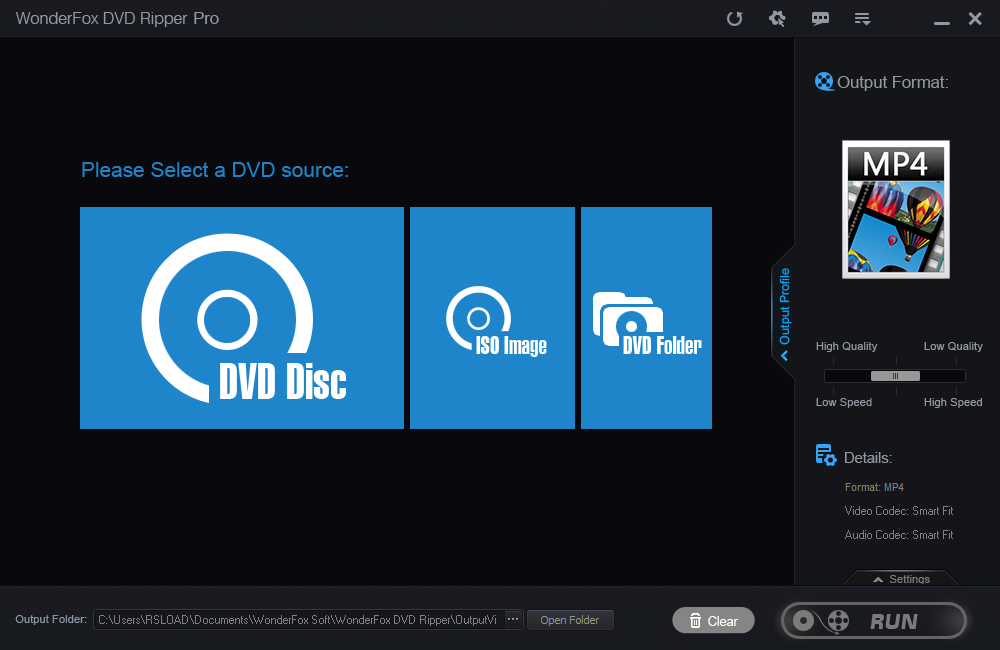

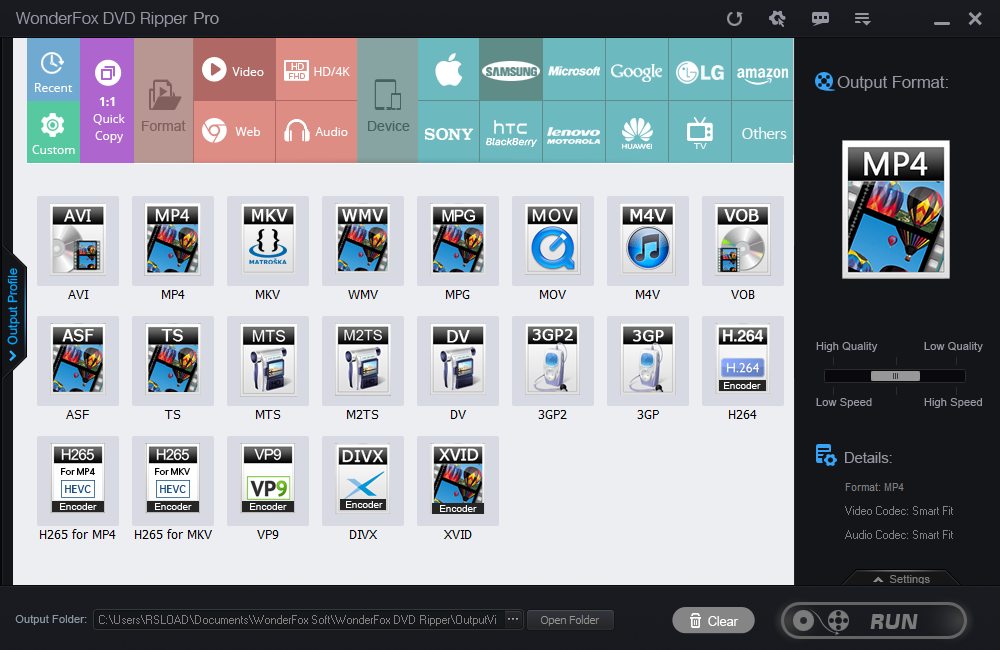
Прекрасный выбор для конвертирования и резервного копирования DVD-дисков, который быстро сделает копию в широком спектре медиаформатов.
Разработанная для упрощения жизни, она идеально подходит для резервного копирования вашей коллекции DVD. Вы можете конвертировать диск в цифровой формат для личного использования, чтобы смотреть ваши любимые фильмы на ПК, iPhone, iPad, планшет и т. д.
Кроме того, она добавляет оптимизированные настройки для таких устройств, как новейшие iPhone XS, iPhone XR, All New iPad Pro, Samsung Galaxy S9, Note 9, LG V40 и т. д. Добавьте к этому простоту использования, состоящую всего из 3 действий: Загрузка DVD> Выбор формата вывода> Старт! Потрясающая скорость копирования при сохранении высокого оригинального качества!
Новые функции:
- Поддерживает аппаратное кодирование (Inter QSV, Nvidia NVENC). Скорость преобразования в 30 раз выше, чем в предыдущей версии.
- Поддерживает разрешение до 8k (7680*4320) и принудительные субтитры.
- Улучшает стабильность HEVC (H265).
- Поддерживает пакетное копирование нескольких DVD-дисков.
- Поддержка копирования поцарапанных DVD (более высокая скорость распознавания DVD).
- При выборе MKV в качестве выходного формата можно выбрать и экспортировать несколько (или все) аудиодорожки (для преобразования DVD/ISO/VIDEO_TS).
WonderFox DVD Ripper Pro Lifetime (1 ПК). Всего за $19.95. (Обычная цена: $29.95)
WonderFox DVD Ripper Pro Family Pack (3 ПК). Всего за $64.95. (Обычная цена: $89.95)
Системные требования:
Windows 7/ 8/ 10; Processor: > 1 GHz Intel or AMD CPU; Free Hard Disk Space: 50 MB or more; RAM: 512 MB or above
Разработчик:
WonderFox Soft IncОфициальный сайт:
https://www.videoconverterfactory.com/dvd-ripper/Размер файла:
56.3 MB
Licence details:
пожизненная
Цена:
$29.95
GIVEAWAY download basket




iPhone предложения дня »





Android предложения дня »





Комментарии
Понравилась программа? Оставьте комментарий!
I purchased this app as it works quite well. There are some issues with it (what program is perfect?), but for most it will do what you need.
For the most part, the software does rip well and the resulting video is good quality, but not make a DVD quality backup with the normal/standard presets, however it is good enough to make backups of your DVD videos. Just not perfect flawless backups.
Other issues are that if you are converting a DVD with several videos on it, example would be a DVD with a TV series and several episodes, the program will select what it 'thinks' is the main title(s). Changing this, results in an annoying popup that cannot be disabled. Additionally, there no 'select all' or 'unselect all' option. You have to manually select what you want und unselect what the app incorrectly marked.
The authors statement of "copy in 5 minutes with flawless 1:1 quality" is not correct. I converted my entire DVD collection (around of 100 discs), and not one completed in 5 minutes. I even tried converting an ISO of a DVD and this also took longer than the 5 minutes, and with the standard settings, was not 1:1 quality. On average, a conversion (directly from DVD or ISO) took 11 to 20 minutes depending on the actual video length and, with the standard/default setting, the video resolution was 1280x720. There was some Pixilation, especially when transitioning to/from a dark image. For me this was acceptable for my needs, although not ideal.
DVD's that are encrypted will not convert unless your Windows unlocks the disc prior to you trying to convert with this app. Your software based DVD app should provided what is needed here.
For those wanting to try, this will not convert a BlueRay or any other type of Disc nor a non-DVD ISO. The is strictly DVD, as the program says. When I ask them about it, I was told that the company has no intention on providing Blueray support for any of their applications or in a new application.
All in all, this is a good app and worth getting if you are wanting to make backups of your DVD's.
Save | Cancel
"For the most part, the software does rip well and the resulting video is good quality, but not make a DVD quality backup with the normal/standard presets, however it is good enough to make backups of your DVD videos. Just not perfect flawless backups."
Video DVDs use mpg2 encoding, which while less efficient than H.264/H.265 etc., is capable of the same quality levels. When/if quality is a concern, copying & using the original mpg2 files is probably the best solution. The video files will be larger, but you get the bonus that playing that video takes less processing, putting less of a load on the processor(s), which *may* for example give you more battery life if playing on your phone. The free VLC includes the necessary mpg2 decoder.
Regarding video quality... especially since Blu-ray became available, the video quality of retail DVDs is purposely reduced. Whenever you (re)encode video you take a quality hit -- it's called generational loss -- and by reducing DVD video quality to a level that it's just [barely] acceptable, the studios feel they can discourage copying.
Regarding the time it takes... the 1st step is copying the data from the DVD, which happens at a set speed -- the copy speed is limited by the drive itself, & *nothing* will speed it up. There is a *possible* exception: some DVD drives would further reduce the speed of data transfer if/when the drive detected a video DVD, specifically to discourage copying. [MediaCodeSpeedEdit is an app from around 2010 that could remove that speed limit from many drives.] When you re-encode video copied from a DVD the time that takes depends on the speed & power of the CPU, & often the GPU, and can also be effected by the speed of the hard disk or SSD.
"... with the standard/default setting, the video resolution was 1280x720"
That's counterproductive... just about any player will enlarge the video frame more efficiently, and usually with higher quality during playback. You're also increasing the amount of processing necessary during re-encoding, so it'll take longer while also giving poorer results. The possible exception here is if you use AI to perform the video enlarging -- there are a few apps that do that on the market.
Save | Cancel
Hello, I have a previous version of this software. I do like it, does what I need it for. Are there any changes that will be worth downloading this latest version?
Save | Cancel
Dee, If you open the version you have it should/may show that an update is available and also have a button to see the update logs. I have 20.0 and the update log page shows:
WonderFox DVD Ripper Pro Update Logs
- v20.6 - Nov 18, 2022
1, General function optimization.
- v20.5 - Sep 20, 2022
1, [Important] Improved the function to convert DVD to ISO.
2, Others.
The page is at https://www.videoconverterfactory.com/dvd-ripper/change-logs.html
so if you have an earlier version, check.
Save | Cancel