Каждый день мы раздаем лицензионные программы БЕСПЛАТНО!
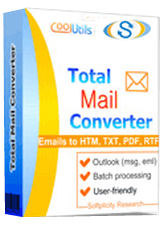
Giveaway of the day — Total Mail Converter 4.1
Total Mail Converter 4.1 был доступен бесплатно 6 февраля 2016 г.

Конвертируйте электронные письма в документы, которыми можно легко делиться. Программа преобразует электронные письма (MSG, EML, EMLX, MIM) в файлы форматов PDF, DOC, TXT, HTML, TIFF, JPEG. Все данные, в том числе вложения, полностью сохраняются. Ваши MSG-файлы будут переименованы, чтобы предотвратить путаницу. Total Mail Converter идеально подходит для конвертирования MSG в PST, архивирования, резервного копирования и просто для хранения электронных писем вне почтового клиента.
Системные требования:
Windows XP/ 2003/ Vista/ 7/ 8/ 10 (x32/x64); CPU: Pentium 133 MHz or faster; RAM: 128 MB or above
Разработчик:
CoolUtils.comОфициальный сайт:
https://www.coolutils.com/TotalMailConverterРазмер файла:
26.9 MB
Цена:
$49.90
CoolUtils.com также предлагает
Конвертируйте электронные письма Outlook или файлы PST/OST в форматы PDF, DOC, RTF, TXT, TIFF.
Конвертируйте электронные письма напрямую из Gmail, Yahoo и Windows Live без необходимости экспортирования!

Конвертируйте электронные письма почтового клиента Mozilla Thunbderbird в форматы DOC, PDF, HTML, TXT, TIFF, и PST в пакетном режиме.
iPhone предложения дня »





Android предложения дня »





Комментарии
Понравилась программа? Оставьте комментарий!
Worked like a charm. I'm using Windows 7 Home Premium 64. I converted some old Outlook Express eml files to PDF, DOC and MSG files. Conversion was quick and content looks great.
Save | Cancel
weezer
To make things clear: the software does not process Outlook Express dbx files, but only emls, i.e. mail files extracted from the default Outlook Express database (dbx).
The converter does not process Outlook pst files, either, only msg files extracted from Outlook pst files.
Instead, they offer other applications that are allegedly able to process dbx or pst files, but it is, as for me, quite overpriced as compared to free utilities capable of doing the same job.
This means that Outlook Express and Outlook users first need to extract files to – respectively – the eml or msg format and then – using this GAOTD – may enjoy having them converted to pdf, doc, html etc. file formats. As for me, that’s quite a tedious process.
Actually, I do not see any sensible reason to install and use the software, except where you have time to extract files from default mail-client databases only to have them converted to various formats with allegedly sophisticated layout the developer seems to offer. If you are not interested in such layouts and simple conversion will suffice, then you may get the same effect just using print options that – in most cases offers the printout at least in the pdf and html formats, and that are available directly from your mail cilent.
Cheers, Marek
Save | Cancel
1. Even though I installed the program, and the gotd successful installation window appeared, the program menu continues to prompt for a registration code and to offer to sell for $99.
2. I use Thunderbird. From within the program, I navigated to the Thunderbird email folders. From there on, no matter what I do, including the selection of folders, I get the message that no files have been selected.
3. Using Windows 10, I cannot run the program from the start menu because it does not appear there. I can only run it from a link on the desktop.
4. The pdf help file at the assocated website gives no helpful guidance.
5. Although the promotional material says that the program works with Thunderbird, it looks like it is actually geared to Outlook.
Save | Cancel
Not overly impressed. Too restricted in the type of email that can be converted, and does anyone really need conversion into all those different formats? Would have preferred to be able to convert according to email client name - Becky, The Bat!, Postbox etc.
Also seems to need another application in order to automate.
A shame, because I think there's an opportunity for this type of software. Not everyone uses Outlook, and some of us have tested many email clients over the years looking for the ideal one, and in so doing have accumulated mails in different formats.
Save | Cancel
Something named "Total Mail Converter" that doesn't handle Outlook? Totally misnamed and uninstalled.
Save | Cancel
Have to say that I do not really understand why people should think that it is a good idea to pay 50 bucks for something you can do with, Ctrl+A - Ctrl+C - Ctrl+V.
Save | Cancel