Каждый день мы раздаем лицензионные программы БЕСПЛАТНО!
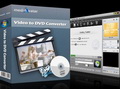
Giveaway of the day — mediAvatar Video to DVD Converter
mediAvatar Video to DVD Converter был доступен бесплатно 25 марта 2011 г.
Профессиональный, но простой в использовании, mediAvatar Video to DVD Converter поможет вам создавать DVD фильмы из любых HD и обычных видеофайлов, а также конвертировать и записывать видеофайлы в DVD папки или как ISO файлы. Данный инструмент позволит вам создавать персонализированные DVD меню, вырезать фрагменты видео, изменять размер картинки, добавлять субтитры и аудиофайлы, накладывать водяные знаки и спецэффекты, чтобы создавать уникальные DVD фильмы и ролики.
Основные возможности:
- Создавайте DVD, используя любые видеофайлы (найденные в Интернете, те, что вы скачали или сняли на камеру или iPhone 4), включая M2TS, MTS, TS, MOV, MP4, MKV, AVI, DivX, XviD, MPG, MPEG, QT, DV, VOB, RM, RMVB, WMV, H.264/AVC, ASF, DAT, FLV, 3GP и т.д. Также конвертируйте и записывайте видеофайлы в DVD папки или как ISO файлы.
- Создавайте DVD меню, просто выбрав нужный шаблон, а затем добавляйте фоновую музыку и картинки, название фильма и субтитры.
- Оставляйте нужные сегменты видео, вырезая ненужные части.
- Добавляйте субтитры (до 32 файлов с субтитрами) и саундтреки (до 8 файлов) к вашим DVD фильмам.
- Изменяйте размер видео, добавляйте эффекты и водяные знаки.
Системные требования:
Windows XP (SP2 or later)/ Vista/ 7
Разработчик:
mediAvatar Software StudioОфициальный сайт:
http://www.mediavideoconverter.com/video-to-dvd-converter.htmlРазмер файла:
33 MB
Цена:
$32.99
mediAvatar Software Studio также предлагает

Приближается весеннее супер-предложение от компании mediAvatar! Для пользователей Windows и Mac компания предлагает скидки до 50% на Video Converter, DVD Converter (Ripper), продукты для iPod/iPhone/iPad, Blu-ray Ripper, продукты для PowerPoint/PDF и другие программы! Узнайте больше на http://www.mediavideoconverter.com/discount.html прямо сейчас!
GIVEAWAY download basket




Комментарии
Понравилась программа? Оставьте комментарий!

I know a lot of people will dismiss this as "just another converter", but actually it is very much more than that. Usually you need to convert the files first and then use a DVD authoring package to assemble the converted files into a DVD (there are menus, chapters, .ifo files, etc. to be sorted out, you cannot just burn the converted files to a DVD and expect to play them on ordinary DVD players for example). Some people have been confused about that when leaving comments for programs that will only convert video.
This really is a combination of video converter and DVD authoring package, all in one. It is not as flexable as seperate software, but it is not as complex to use either. Personally, I think they have got the mixture about right on this - They have neat little features (that seem to be underplayed, as they are quite good!) such as being able to set the audio level for each seperate input file, and ALSO being able to set how much the audio should be ahead or behind the video. This happens often because a conversion has been done, which has used the wrong bit rate for the audio, so it goes out of synch with the video. This can correct that, which is not a common feature on a lot of programs that only videos, so is all the more impressive on a "combined" program like this.
Which brings me to to the only major drawback I've found while experimenting with the program today. That is when you are altering the sound in the preview pane, you get multiple pop-up warnings that the video might not be in sync with the audio, but that will not affect the output however, as it is only the preview it effects. Well, the multiple pop-ups are very annoying. They can easily be disabled, but that is not the point. It needs to be rewritten, so that they only come up once, not multiple times. More importantly, how can you preview the effect of advancing or retarding the audio track against the video, to get them back in sync, when the preview pane itself is introducing it's own serious mis-timing?
That really needs to be addressed, if it can be sorted out, then this program would be a real winner for most people, as it would be so flexable and yet still easier to learn than seperate software packages. At the moment, you are reduced to experimenting and most people will not be prepared to bother with all that trial-and-error for anything other than the most treasured recordings. My benchmark for things like that is always Irfanview - Although it is for altering stills, not video, their preview function is superb. I realise the coding is a lot harder for video, but if it could be done, this software would be outstandingly simple to use.
Finally, I've not had chance today to explore it fully, but I have not found any setting for output quality? As in, are you recording at 1 hour per DVD, 2 hours, 4 hours, etc? That setting makes an incredible difference to the output quality, so I would have appreciated knowing what it was set to, or if it was automatically adjusted (in which case, how many minutes do the input videos tally to please?)
In adjustments, it would be nice to balance the colours and perhpas sharpen as well? They are a suprising amount of effects in there already, some very unusual to find in video. However color balanceing and sharpening are likely to prove more useful than several variations on "Emboss".
Full kudos though for having settings for black & white, negative, vertical and horizontal flipping. These should be basic in all conversion/DVD authoring packages, but a suprising number of them leave one or more of these out.

Today's offering will suit many people as it offers a nice set of simplified help introduction notes making it easy for those new to editing and producing home video output.
The gui is on the tidy side and should not present any problems to new users. Although some have commented on its limitations, this program will nonetheless help someone create something worthwhile as it offers most of the basic necessary tools.
Add chapters, audio, letterbox format output 16.9 or 4.3, Pal or NTSC, 2 core etc. Not sure how it will handle a 4 core pc as I have yet to try it.
The cpu rates seem to fluctuate quite normally (XP sp3 on Intel3.7Ghz power boost pc & Intel2.40Ghz HP machine) but as expected should not cause problems on moderate run-of-the-mill pcs. Obviously the more powerful your pc has, the better. I don't have time to put it through a thorough examination this am but my first impression is that it is certainly worthwhile for those who require such software - especially since it's free today.
What it offers is a fairly quick method of producing video related output to the usual 4.7 DVD & DL. If you need it, then grab it. Thanks to GOTD & the people at MediAvatar S Studio.
Other handy options include: Avidemux, Pinnacle VideoSpin etc.
So I went to web-site and downloaded Copy from there.
The same limitation, 99 files Max
Looks good, may be good, but to limited to use
sorry
@Lennard Gill
I must say I do believe that DVD specifications will only allow 99 titles.So I don't think it's a program problem,rather the program try to stay with DVD standards.You could join videos together first with program like AviDemux and then make your DVD.Hope this helps ,and if it's not accurate info than my apologies.
RE: suggestion: "see the program not to limit the freegiveaway downloaders to only load 99 files"
The DVD spec has limitations -- remember it was created over a decade ago for less advanced electronics/players.
* * *
#6: "Before I download this, could someone help with Lennard Gills question. If the maximum number of files is 99, this program wouldn’t do what I want – the reason for this is that I do not video to feature film length (or anywhere near) but is short clips of a few minutes. Obviously this soon mounts up to a fair few files."
With a DVD the number of titles & chapters is limited -- hate to say it but the spec was originally intended for movies & TV shows etc... they may not have thought DVD creation would ever reach the levels of popularity that it has. There are ways to get at least partly around those limits, which effect slideshows on DVD too.
Probably the easiest method is to join many clips together & use a Chapter Point at the start of each segment, though there you have limits too -- you can then jump to each chapter from the menu if you want, use the Next button to jump from chapter to chapter, have the chapters play in sequence etc. [BTW, (over?) simplified, DVD players actually play playlists made up of chapters, so you can have different playlists play the same chapters in different orders.] DVDs can also have title playlists, where for example 3 files made up of several, individual clips themselves play in sequence. At any rate, by using video files with more chapters made out of individual clips, & by sometimes even using menus with no visible buttons to store clips, you can push the limits a bit, but be sure to test well because not all players like that sort of thing. Some usually more expensive DVD authoring apps may also have *tricks* to let you try and expand that sort of thing further. For more info on this very common subject Google/Bing "more than 99 video titles on DVD".
You can also go away from the DVD spec/format... Many, many players support DivX/Xvid [most players that handle the payware DivX handle the freeware Xvid too], where video files burned to a regular data CD/DVD are treated more-or-less the same way as mp3 files on a disc. There are also loads of *boxes* that play regular & often HD video, sending the signal to a TV, or use a PC/laptop -- setting up a cheaper or older PC as a media center is very popular, & there are several, free software packages you can use.
* * *
#13: "If this is targeting the home consumer who takes many short video clips of their young children and their vacation, then the 99 files limit would be an important consideration. It would be nice to know about this limitation upfront."
Yes, judging by the number of hits you get on Google searching on "more than 99 video titles on DVD" you're far from alone. OTOH if/when you're putting together a bunch of smaller clips you've taken of the kids etc., a lot of current software, including Windows Movie Maker try to make it as easy as possible to string them together in interesting ways, with optional transitions & voice-overs & such. Software packs like the Roxio suite even have apps that string them together with music automatically -- little or no manual editing required. No offense intended to anyone, those approaches may also make your video easier for others to watch -- a delicate subject I'm likely going to state poorly, not everyone loves your kids as much as you do, or finds your vacation shots as spellbinding. Also maybe bear in mind that the average film or TV show we're used to watching usually changes the view or perspective every 10-30 seconds -- we Americans have tremendously short attention spans. ;-)
iPhone предложения дня »





Android предложения дня »




Может, я не разобралась до конца, но эта программа из видео весом 2 гига предлагает создать DVD в 8 гигабайт. Жаль...
Save | Cancel
Kunzite, спасибо за линки бесплатных прог поделимся с народом на блогах. Всегда с удовольствим читаю ваши комменты. Успехов вам!
Save | Cancel
Спасибо всем - меня здорово продвинули - то есть помогли.
Save | Cancel
PS. Вот здесь подробная статья с инструкциями по работе с ImgBurn:
http://rutracker.org/forum/viewtopic.php?t=411059
Save | Cancel
Ashampoo Burning Studio замечательная универсальная программа для записи CD и DVD дисков в различных форматах. Однако, если есть только конкретная задача - запись скачанного DVD5/9, т.е. папки VIDEO_TS (или ISO-образа DVD), то лучше ImgBurn (коммент #8 от Алексея), мне пока ничего не попадалось. Особенно это касается DVD9, т.е. 2-слойных дисков, в которых есть т.н. "точка перехода" со слоя на слой. Большинство программ для записи DVD обращаются с этой точкой весьма вольно, а то и вовсе игнорируют правильность её установки. В результате при проигрывании такого диска может возникать длительная пауза в "точке перехода" или, в пределе, невозможность воспроизведения содержимого второго слоя. Насколько мне известно, автор ImgBurn в своё время написал и программу копирования со снятием защиты DVD на жёсткий диск DVD Decryptor. Т.е. он достаточно хорошо знаком со всеми тонкостями и нюансами в структуре DVD-видеодиска. ImgBurn умеет правильно определять "точку перехода" и при необходимости вносить соответствующие корректировки в конфигурационные файлы DVD-диска, соответственно, записанные в ImgBurn DVD будут безглючно воспроизводиться на большинстве бытовых DVD-плееров.
Save | Cancel
Юрий, не знаю, как этой, попробуйте ashampoo burning studio free.
Save | Cancel
Юрий, если фильмы в DVD, то есть папки AUDIO_TS и VIDEO_TS
ведь по сути это полное содержимое dvd диска
просто пишешь их как данные
Save | Cancel
Юрий используйте для записи (не кодирования) DVD5 или DVD9 фильмов бесплатную программу ImgBurn (русификатор скачивается отдельно на оф.сайте)
Save | Cancel
Скачал я фильм в формате DVD5 или DVD9 и хочу записать на DVD - диск. Как это сделать быстро? Я надеюсь на эту программу.
Save | Cancel
Записывать DVD диски из файлов в DVD формате без длительного "рендеринга" пока что у меня на других программах не получалось. Может Вы подскажете?
То есть скачал я фильм в DVD формате и хочу записать на диск. Я надеюсь на эту программу.
Save | Cancel
Записывать DVD диски из файлов в DVD формате без длительного "рендеринга" пока что у меня на других программах не получалось. Может кто подскажет?
То есть скачал я фильм в DVD формате, хочу записать его на диск. Как это сделать проще и быстрее?
Я надеюсь на эту программу.
Save | Cancel
Вы, Kunzite, правы на 100%! Но есть такая “фишка”: DVD - плеера ещё не отменили, они у всех есть и пользоваться ими очень просто, даже моей жене (в возрасте 66 лет). Поставить диск с любимым исполнителем и слушать, иметь возможность приостановить, продолжить, переключить на любую часть, практически не напрягаясь и не думая - это отдых! Другое есть и в чём то оно лучше, но это - не то. Разве плохо записать и подарить своей жене на 8 марта диск с её любимым исполнителем?
Save | Cancel
Народ, все правы по-своему. Вы, Kunzite, правы на 100%! Но есть такая "фишка", как онлайн-бизнесс, - "рассылка видео дисков с уроками и обучающего видео разного типа", то такие проги из той сферы и они очень нужны таким ребятам для кого они - кусок хлеба. На каждый товар есть свой покупатель.
Save | Cancel
Касперский ругается на root.shell руткит при установке этой программы.
Save | Cancel