Каждый день мы раздаем лицензионные программы БЕСПЛАТНО!
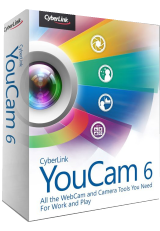
Giveaway of the day — YouCam 6 Standard
YouCam 6 Standard был доступен бесплатно 2 сентября 2016 г.
CyberLink YouCam6 предоставляет разнообразные инструменты и функции, позволяющие извлечь из веб-камеры максимум возможностей. Вам нужны забавные функции и эффекты для общения с друзьями по веб-камере? Или вы ищете функции, которые смогут помочь вам в работе, улучшая презентации, видео конференции или уроки. Всё это и много другое вы найдете в CyberLink YouCam6. Вы легко сможете превратить камеру на вашем компьютере в профессиональную, снимая HDR и панорамные фотографии, записывая видео-презентации или развивая свою креативность с помощью набора спецэффектов.
Системные требования:
Windows Vista/ 7/ 8/ 8.1/ 10 (x32/x64)
Разработчик:
CyberLink Corp.Официальный сайт:
https://www.cyberlink.com/stat/edms/Giveaway/GOTD/YCM6/index.jspРазмер файла:
274 MB
Цена:
$34.95
CyberLink Corp. также предлагает
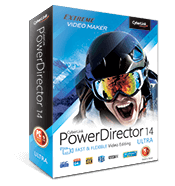
PowerDirector Ultra - это самая быстрая и многофункциональная программа для редактирования видео, предлагающая уникальную комбинацию функций для достижения наилучшего результата. Интуитивное управление делает эту программу прекрасным выбором как для новичков, так и продвинутых пользователей.
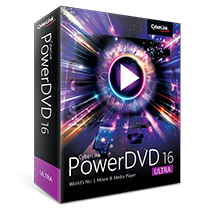
С продажами в более 300 млн. копий, PowerDVD - лучшая программа для воспроизведения фильмов и медиафайлов в высоком качестве на вашем компьютере, а с новым завораживающим ТВ-режимом вы сможете воссоздать атмосферу кинотеатра у вас дома.
Комментарии
Понравилась программа? Оставьте комментарий!
Installed OK in Win 10x64, but would not run. I got the cryptic message "Cyberlink YouCam does not support this resolution under your current settings" My web search found a 2012 thread about this, so it is far from a new problem. An April 2014 reply gave this solution:
"RIGHT CLICK YOUCAM SHORTCUT, CLICK PROPERTIES, THEN COMPATIBILITY TAB AND CHECK THE BOX THAT SAYS: Disable display scaling on high DPI settings."
After following that guidance, YouCam worked well for me.

Jim,
Thank you, Jim, for your very helpful comment. I followed your observation, and it worked for me.
Regards,
consuella
Just a note for the Developer. Can you please add some clear information about the description of the the software. I could not understand what it does from the write up except its cool, ultimate, work and play tool. I believe that you don't need to try to see what it does.
Thanks. Hope it makes sense.
GAOTD.....thank you so much for giving us back the "numbering" of the comments. It is much appreciated.
We have Youcam 6 standard on our Lenovo laptop (Core i5 @ 2.6GHz / 8GB RAM / Samsung EVO 840 SSD). It works great for all normal requirements. There's a couple of features such as the funny special effects (give yourself a hat or mustache or halo, or a backdrop of an exotic setting, etc.) and the avatars all of which only work at lower resolution settings. If you want to use those effects then you must set the camera resolution to a low-ish setting like 640x480 or maybe 800x600 then apply the desired effect or avatar. The effects / avatars are kinda cute or funny and will no doubt amuse kids to some extent. For me , the novelty of these effects wore off after playing with them a few times. After that, i returned to using the 1280x720 resolution of the laptop's built-in camera which is satisfactory for most purposes. Since the Core i5 cpu is a pretty good chip we also tried plugging in our Logitech C910 webcam, and made a couple of recordings using 1920 x 1080 resolution and stereo sound. The Youcam 6 software handled it OK. Just make sure other programs and internet browsers are closed when recording at this resolution. As i recall, Logitech a few years ago recommended a quad-core cpu for recording at 1080p resolution, so we're pleased that the dual-core laptop Core i5 (with Hyper-threading) is powerful enough to handle the task. This clearly implies that the Youcam software itself has low enough cpu overhead to achieve good 1080p results. There are, of course, a number of settings and options/features available that i haven't touched on here, but rest assured that Youcam 6 is very good webcam sofware. One thing i'm not sure about is whether Logitech's automatic "Righlight" and "Rightsound" features will be enabled without also installing Logitech's own webcam software. In other words, you may need the Logitech software installed even if you don't use it in order for Rightlight to work. Make no mistake, Rightlight is an excellent feature to have.

iPhone предложения дня »





Android предложения дня »





5-ю версию раздают на сайте уже давно. Пробуем 6-ю! Гивевею и Сайберлинку - merci!
Save | Cancel
При запуске просит ключ, а где его взять. Нет русского.
Save | Cancel
Михаил Татьянин,
Да вы шутник:)
Ссылка в блокнотном файле - в архиве акции.А можете просто нажать на ссылку здесь(это тоже самое) - Официальный сайт:
https://www.cyberlink.com/stat/edms/Giveaway/GOTD/YCM6/index.jsp
Там и получите серийный номер.
Save | Cancel
Классная программа, мне очень понравилась...
Save | Cancel