Каждый день мы раздаем лицензионные программы БЕСПЛАТНО!
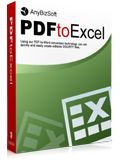
Giveaway of the day — AnyBizSoft PDF to Excel Converter
AnyBizSoft PDF to Excel Converter был доступен бесплатно 12 августа 2010 г.

AnyBizSoft PDF to Excel Converter это программа, которая поможет вам конвертировать PDF файлы в листы Excel. В созданных Excel листах вы сможете изменять текст, упрвлять данные, заниматься подсчетами и изменять порядок листов, даже если у вас не установлен Microsoft Office Excel.
основные возможности:
- Конвертация защищенных PDF файлов
- 3 режима конвертации
пакетная конвертация (до 200 файлов за раз), частичная конвертация, конвертация по правому клику - Гибкий метод конертации
Конвертация PDF в Excel с форматированием или без - Подробнее...
Обратите внимание!: Чтобы активировать продукт, пожалуйста получите регистрационный ключ на странице производителя. Поле этого заполните форму, указав ваше имя и электронный адрес, и вы сразу же получите ключ.
Дополнительно:
- Те посетители GOTD, которые пропустили прошлую раздачу программы AnyBizSoft PDF to Word Converter могут получить последнюю версию 3.0.0 на странице AnyBizSoft на сайте Facebook бесплатно.
- AnyBizSoft предоставляет скидку в 66% только для посетителей GOTD, включая $19.95 чтобы получить 5-в-1 PDF Converter. Узнайте больше здесь>>
Системные требования:
Windows XP/ Vista (x32)/ 7
Разработчик:
AnyBizSoftОфициальный сайт:
http://www.anypdftools.com/pdf-to-excel-converter.htmlРазмер файла:
6.0 MB
Цена:
$39.95
AnyBizSoft также предлагает
Только $19.95 (первоначальная цена $59.95). PDF Converter это приложение 5-в-1, которое позволит вам конвертировать PDF в файлы Word, Excel, PowerPoint, HTML и TXT. Программа поддерживает пакетную конвертацию файлов (до 200 файлов одновременно) и конвертацию защищенных файлов. Кроме того, функция конвертирования PDF в EPUB будет встроена впрограмму в течении месяца. Пользователи могут обновить программу до последней версии бсплатно. Скидка 66%!
Только $14.95 (первоначальная цена $39.95). PDF to EPUB Converter это удобное приложение для конвертциии электронных книг PDF в формат EPUB. Таким образом, вы сможете читать электонные книги на Apple iPad, iPhone, iPod Touch, Sony Reader и других устройствах. Программа поддерживает пакетную конвертацию файлов (до 200 файлов одновременно) и конвертацию защищенных электронных книг PDF.
AnyBizSoft PDF to PowerPoint это программа для конвертации PDF файлов в презентации PowerPoint. Программа сохраняет расположение, картинки, текст и ссылки исходного PDF файла. Возможна пакетная конвертация файлов. Конвертируйте PDF в PowerPoint 2010, 2007 или 2003 без проблем. Только $9.95 (скидка 66%) для посетителей GOTD!
Программа PDF Password Remover очень проста в использовании. Щелкните правой кнопкой мыши по PDF файлуи выберите пункт меню Decrypt with AnyBizSoft PDF Password Remover. Защита будет снята за несколько минут, а затем вы сможете редактировать, распечатывать, копировать файл и т.д. Только сегодня для посетителей GOTD программа будет стоить $9.95 (скидка 50%)
Комментарии
Понравилась программа? Оставьте комментарий!

The Good
* Straightforward and easy to use.
* Supports batch conversions (up to 200 PDFs in batch).
* Allows users to convert whole PDF or select pages.
* Can convert encrypted PDFs.
* Supports drag + drop.
* Gives user the option to add a entry into right-click context menu for quick access.
* Works fairly quickly.
* Does not require Microsoft Office/Excel installed to use.
The Bad
* Poor conversion quality/accuracy.
* Has a couple of bugs. (Windows 7 only?)
* Users are not given the option to select between XLS or XLSX formats; the type of Microsoft Office installed determines if output Excel file is XLS or XLSX.
* No way to add or remove right-click context menu entry after installation.
Free Alternatives
PDF to Excel Online
For final verdict, recommendations, and full review please click here.

Installation and Registration Guide
Please follow the steps below to register the program, please run the program under administrator account to ensure successful registration.
1. Unzip the package you have downloaded from Giveawayoftheday.com and run Setup.exe to install AnyBizSoft PDF to Excel Converter.
2. Run the software you have installed.
3. Click Register on software interface, then click Get Keycode to visit the webpage, or click here to quick visit.
4. Type your name and Email in the box, and click Get Keycode, then you may find the keycode in your mailbox.
5. Copy the Email and Keycode, paste them to the register box.
6. Click Register.
Note:
The keycode is only available on August 12, 2010. Please register the software during the giveaway or your keycode will be invalid.
AnyBizSoft Studio provides free online technical support for this giveaway. If you have any questions about our products, please feel free to contact us via support[at]anybizsoft.com
AnyBizSoft Studio offers exclusive discounts for GOTD users. Please click below to learn more.
Special Offers for GOTD Users, Save Up to 66%
1 Easy to install
2 Works with no issues on Windows 7( Home Premium)
3 Converts to Excel format .XLS and .XLSX
4 Converts with NO loss of formatting
5 Found it useful when converting financial info. in PDF files
especially bank transactions.(better than CSV flies offered by bank)
6 Never commented here before. But really wanted to share that this
is a great piece of software. Thanks GOTD.
7 No Links with developer. Cannot understand why ASHraf notes poor conversion
Download, installation, activation and registration went off without a hitch on Vista x32. GUI is simple and program is easy to use without reading online Help File.
Actual use of program - I was able to convert the two PDF sample files provided by the AnyBizSoft developer (1 encrypted and 1 unencrypted) - and both files were converted accurately, with the resulting documents retaining the tables of the original PDF files. The program (in the options section) allows users to select whether or not to maintain the original formatting of the source files in the resulting files - so, this designation is left up to the user's desired specifications.) The resulting output was good.
@1 (Ashraf) - it would be helpful if you would specify what these "couple of bugs" are for the benefit of GOTD users who read this comments section and who don't have time to read your detailed review on your website. Also, the right-click context issue mentioned in your "The Bad" section, is not really that bad (in my humble opinion) as users who don't like the program would probably uninstall it from their computers anyway, and those users who do like the program would want to keep the "right-click-context" setting in place for their use and benefit.
Summary: Program is easy to use and produces accurate output that retains the source file's original format (if designated as such by the user in the options setting) - so two-thumbs-up for today's offer. Thanks much, GOTD and AnyBizSoft.
Free Online, Web-based Alternative:
Nitro PDF-to-Excel Online
TO try out AnyBizSoft PDF to Excel Converter I *printed* a couple of PDF files using the free PDF Creator -- one was a TV listing [titantv.com], & the other was the default tool listing at videohelp.com... I wanted to see how today's GOTD worked with tabular data that wasn't so perfectly arranged like in the samples provided. Results were mixed, but if/when using the option to "Retain original formatting of forms", it was imperfect but usable. The resulting .xls files all opened in Excel 2007 with warnings, & with "Retain formatting..." on, only the 1st page had cell borders mimicking the original .pdf. Without the "Retain formatting..." option, anything above the web pages' table structure really threw this app for a loop, though if you were desperate enough I suppose the data could be made usable once you scrolled past the twenty something mostly empty columns. Long story short, like most all PDF converters, what you get out of AnyBizSoft PDF to Excel Converter depends a Lot on what you feed it. When I took the same TitanTV page, *printed* just the table to .pdf [Print Selection], without headers/footers [IOW made it look more perfect like the included samples], results were Much better.
That out of the way, AnyBizSoft PDF to Excel Converter needs to be fully installed to register -- if you have problems with it not accepting the key, I'd suggest looking at the installation process 1st [i.e. maybe it didn't work properly]. [Extracting all of the files from setup.exe the app ran, but wouldn't register -- after running setup.exe registration worked OK -- after restoring a registry backup, the (again un-registered) app registered fine --> while this may not be the cause of every registration problem, if one or more files aren't correctly created / configured during install, registration will not work.]
The setup file itself includes the Microsoft Visual C++ runtime install file [vcredist.msi], though for me, monitoring install, it did not run -- Personally I dread that particular setup file, because installation setups for other apps have used it in ways that screwed up Windows & Windows Installer for me. That file [vcredist.msi], & IMHO several others that are unnecessary once an app's installed are carried over into the program's folder -- of the total 260 files, 25 folders, the "PDFEncoding" sub-folder stores 181 files, 15 folders, that are mainly alternate language related... taking up ~7MB out of a total ~20MB isn't a terribly big deal, but I would have been more impressed with the developers if they made it an optional download, or gave me the option during install etc. InstallWatch Pro recorded roughly 400 new registry entries created, but I only saw 7 changes that raised an eyebrow -- Explorer shell folders were either deleted or changed, & I didn't/don't see a reason for that.
iPhone предложения дня »





Android предложения дня »





Windows 7(64) программа установилась нормально.Регистрация без проблем.Спасибо.
Save | Cancel
Ни эта ни 2 другие программы (5-in-1 PDF Converter и PDF to Word Converter) с ивритом корректно не работают. Жаль.
Save | Cancel