Каждый день мы раздаем лицензионные программы БЕСПЛАТНО!
Giveaway of the day — Aiseesoft Slideshow Creator 1.0.22
Aiseesoft Slideshow Creator 1.0.22 был доступен бесплатно 31 мая 2021 г.
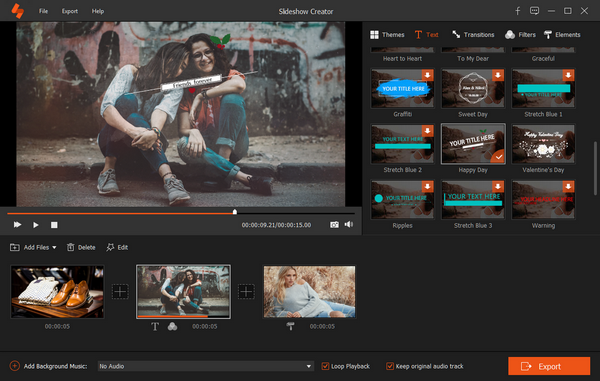
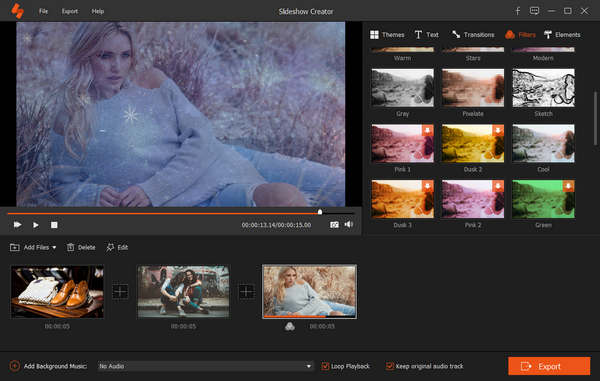


Aiseesoft Slideshow Creator - чрезвычайно простой в использовании инструмент, позволяющий создавать слайд-шоу за считанные минуты с настраиваемыми параметрами и готовыми шаблонами.
● Создавайте слайд-шоу с видео, изображениями и музыкой.
● Готовые шаблоны тем для быстрого создания слайд-шоу.
● Сотни эффектов для текстов, переходов, фильтров и элементов.
● Простое редактирование элементов (поворот, обрезка, обрезка, скорость, объем и т. д.)
● Сохраняйте слайд-шоу локально и делитесь им в Интернете.
Эксклюзивная скидка 50% предоставляется всем пользователям GOTD по промокоду: AISESUOD (применяется к рекомендованным продуктам и другим продуктам), для все пользователи GOTD.
Системные требования:
Windows XP/ 7/ 8/ 8.1/ 10 (x64)
Разработчик:
Aiseesoft StudioОфициальный сайт:
https://www.aiseesoft.com/slideshow-creator/Размер файла:
140 MB
Licence details:
1 год
Цена:
$53.32
Aiseesoft Studio также предлагает
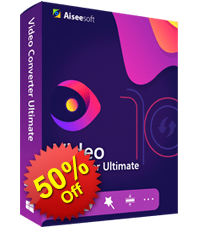
Купите любые программы Aiseesoft со скидкой в 50%. Воспользуйтесь купоном: AISESUOD для всех пользователей GOTD.
Aiseesoft Video Converter Ultimate – самая популярная многофункциональная программа для конвертирования/загрузки/улучшения видео. Она поможет легко преобразовать видео (в том числе 4К) в MP4, AVI, MOV, WMV, FLV, MP3, WMA и т.д. в высоком качестве. Вы также сможете скачать видео, в том числе 4К, с Facebook, Vimeo, Yahoo и других популярных сайтов. Этот видео-конвертер предлагает множество необычных функций редактирования, например, позволяет настраивать яркость, контраст, насыщенность, оттенки видео, а также кадрировать, объединять или обрезать видео файлы, добавлять водяные знаки и т.д.
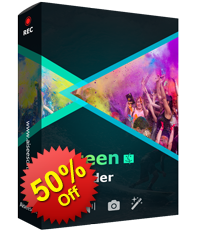
Купите любые программы Aiseesoft со скидкой в 50%. Воспользуйтесь купоном: AISESUOD для всех пользователей GOTD.
Aiseesoft Screen Recorder – простая в управлении программа для записи видео с экрана. Она позволяет записывать онлайн видео и аудио в высоком качестве. Записывайте видео трансляции, VOD видео и сохраняйте их на ПК.
Эта программа для записи видео с экрана позволит создавать собственные видео-уроки и записывать видео с веб-камеры всего в несколько кликов. Интуитивно понятный интерфейс поможет сохранять видео, легко записывать бесплатные песни на радио и т.д.
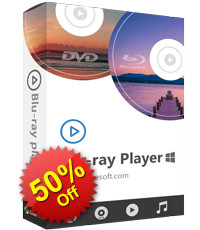
Купите любые программы Aiseesoft со скидкой в 50%. Воспользуйтесь купоном: AISESUOD для всех пользователей GOTD. Программа Aiseesoft Blu-ray Player способна воспроизвести любой Blu-ray диск, Blu-ray папку или ISO образ в HD разрешении 1080P. Создаст непревзойденную атмосферу домашнего кинотеатра без потери качества видео и с эффектом полного звукового присутствия. Поддерживает все выпущенные недавно Blu-ray диски, и любые сохраненные Blu-ray папки и образы ISO. Кроме того, программу можно также использовать в качестве аудио или видео проигрывателя для файлов более распространенных форматов, включая HD видео.
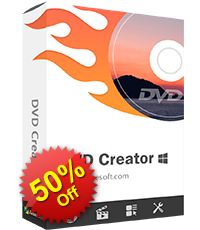
Купите любые программы Aiseesoft со скидкой в 50%. Воспользуйтесь купоном: AISESUOD для всех пользователей GOTD.
Aiseesoft DVD Creator - это универсальное программное обеспечение для записи DVD и Blu-ray. Записывает практически любое видео на диск DVD/Blu-ray, папку и файл ISO, предлагая доступные инструменты редактирования, такие как: фильтры, настройку DVD, кадрирование, поворот, отражение, вырезание, объединение и многое другое.

Купите любые программы Aiseesoft со скидкой в 50%. Воспользуйтесь купоном: AISESUOD для всех пользователей GOTD.
Aiseesoft iPhone Cleaner - лучший очиститель данных и настроек iOS для удаления ненужных файлов на устройствах и освобождения места. Cможет надежно защитить вашу конфиденциальность, полностью очистив устройство iOS перед продажей или передачей.
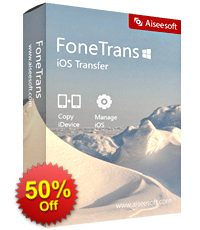
Купите любые программы Aiseesoft со скидкой в 50%. Воспользуйтесь купоном: AISESUOD для всех пользователей GOTD.for all GOTD users. Aiseesoft FoneTrans – лучшая программа для передачи и управления файлами iOS-устройств. Она поможет перенести музыку, видео и фото между iPhone, iPad и iPod. Вы также можете копировать свои контакты, sms и другие документы с устройства iOS на компьютер. Более того, вы сможете безопасно экспортировать данные с iOS-устройства в iTunes для создания резервной копии. Легко управляйте файлами iOS на своем ПК.
Купите любые программы Aiseesoft со скидкой в 50%. Воспользуйтесь купоном: AISESUOD для всех пользователей GOTD.Aiseesoft FoneTrans – лучшая программа для передачи и управления файлами iOS-устройств. Она поможет перенести музыку, видео и фото между iPhone, iPad и iPod. Вы также можете копировать свои контакты, sms и другие документы с устройства iOS на компьютер. Более того, вы сможете безопасно экспортировать данные с iOS-устройства в iTunes для создания резервной копии. Легко управляйте файлами iOS на своем ПК.
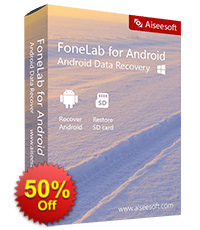
Купите любые программы Aiseesoft со скидкой в 50%. Воспользуйтесь купоном: AISESUOD для всех пользователей GOTD. Aiseesoft Android Data Recovery - это программное обеспечение для поиска данных для телефона и планшета Android. Программа восстанавливает удаленные контакты, сообщения, журнал вызовов, сообщения WhatsApp, фотографии, заметки и другие медиа-файлы напрямую с телефона и SD-карты. В последнем обновлении программа позволяет восстановить телефон, на котором произошел сбой системы («завис», «белый экран», «выключен» и т. д.), И безопасно извлечь данные со сломанного телефона.

Купите любые программы Aiseesoft со скидкой в 50%. Воспользуйтесь купоном: AISESUOD для всех пользователей GOTD.
Aiseesoft Video Converter Ultimate – самая популярная многофункциональная программа для конвертирования/загрузки/улучшения видео. Она поможет легко преобразовать видео (в том числе 4К) в MP4, AVI, MOV, WMV, FLV, MP3, WMA и т.д. в высоком качестве. Вы также сможете скачать видео, в том числе 4К, с Facebook, Vimeo, Yahoo и других популярных сайтов. Этот видео-конвертер предлагает множество необычных функций редактирования, например, позволяет настраивать яркость, контраст, насыщенность, оттенки видео, а также кадрировать, объединять или обрезать видео файлы, добавлять водяные знаки и т.д.
GIVEAWAY download basket




Комментарии
Понравилась программа? Оставьте комментарий!

I found the functionality of this product very easy to grasp; within 30 min I was able to whip up a colourful 30-slide slideshow with transitioning effects, music and filters and some text, including video, and export to MP4 HD, which played back faithfully.
The layout is elegant, and the wide variety of Texts, Transitions, Filters and Elements (eg pasting of emoticons and GIF-like funny faces, snowflakes and other effects) is impressive - I found heaps of usable items in these categories.
You do have to wait for most of them to download the first time you use them, but I assume they are then available for the next project.
The options within each function, such as cropping and image contrast/saturation etc and Text boxes are also comprehensive enough to do 99% of the things I've needed to do in similar packages.
Exporting is great - there is a plethora of different formats, and then tweaking to your hearts content to cater for different sizes, quality, bitrate, frames etc. Very elegantly arranged too, like the rest of the package.
Transition times and slide view times are all alterable - either at a single level, or applying to all slides/transitions - that is most welcomed - I'm surprised how many other packages don't have this capability.
For a GOTD freebie, this is a fantastic product, and I've trialled a fair few over the years - for me, a keeper. For the asking price ongoing, I think it's a worthy contender against the competition, and I'd certainly consider buying it.
Grumble - Ok, I am really impressed, and I try not to be too negative in my reviews, but there's always something that bugs you, right??? My grumble is adding background music: It's easy to add your favourite audio file (looks like it handles all the popular formats). Once loaded you can set the start and end points of the song, but there is no fade-in/fade-out transitioning - it's a harsh cut-off. And there is no "track" view where you can align say one piece of music to the first 3 slides, and then a new piece to the next 3, and maybe have them overlap. That may be a bit OTT for others, but I like to control the music/image alignment. The alternative is to work out your music first and splice an audio file together using another tool and then load in as your audio track. If you've used a full video editor with multiple tracks you'll know what I'm talking about.
So, for the next version, it'd be great to have the ability to build audio snips, with fade-in/fade-out controls and volume/normalisation so you can make a custom-built audio track that nicely aligns with the slide timings.
Another point, very minor - the Preferences are under the "Help menu option, rather than "File" - a variation from 30 years of Windows tradition :)

I'm not sure what the issue is, but I cannot get this app to run. When I try to open it, it tells me 'No audio device found click ok to close.' But my audio is working fine on my computer.
Dear All GOTD users,
Thank you for taking part this giveaway of Aiseesoft Slideshow Creator. If you want to create a video slideshow with simple steps, this software is exactly what you need.
To Get Free Registration Code and Register, Please:
1. Download Aiseesoft Slideshow Creator from GOTD promotion page and run it.
2. Click the “Get Free Registration Code” button to visit the registration page, where input your username and email address to receive the registration code for free.
3. Return to this software, copy and paste the received registration code under “Registration Code” and click “Register” to activate it successfully.
Cannot find the registration window? Just click the register button (A lock image) from the top menu to register this software successfully.
To guarantee that you can use the full functions, please activate giveaway license ASAP.
Bonus Offer on Lifetime License:
Here is also an exclusive sale for GOTD users to purchase Lifetime License at 50% off discount (https://order.shareit.com/cart/add?vendorid=200275818&PRODUCT[300893261]=1&COUPON1=AISESUOD&sp=true). It comes with the privilege of free update to any future version and technical support.
Get more information about Aiseesoft Slideshow Creator here: https://www.aiseesoft.com/slideshow-creator/
Moreover, a 50% off coupon code (AISESUOD) is for all GOTD Users. You could use it to buy any single product at: https://www.aiseesoft.com/.
Feel free to contact support@aiseesoft.com, if you have any problems on Aiseesoft software.
Sincerely,
Aiseesoft Studio
Official Website: https://www.aiseesoft.com/
iPhone предложения дня »




Android предложения дня »




На XP, как было обещано, не устанавливается. И на сайте разработчика написано, что работает, начиная с "семёрки".
Save | Cancel
Иван, на 3.1 установилась
Save | Cancel