Каждый день мы раздаем лицензионные программы БЕСПЛАТНО!

Giveaway of the day — Phototheca 1.6.0
Phototheca 1.6.0 был доступен бесплатно 15 октября 2015 г.

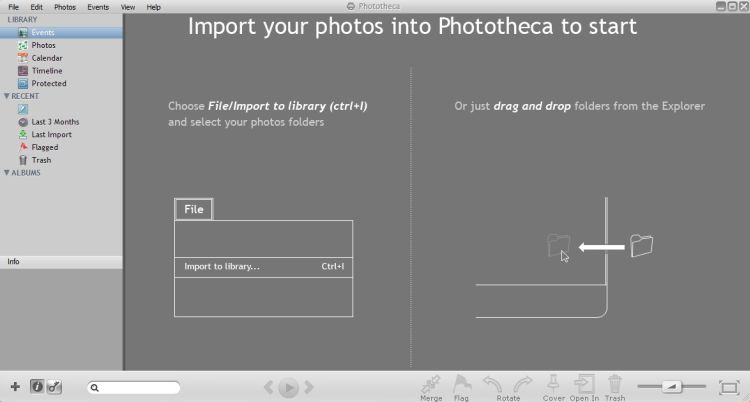
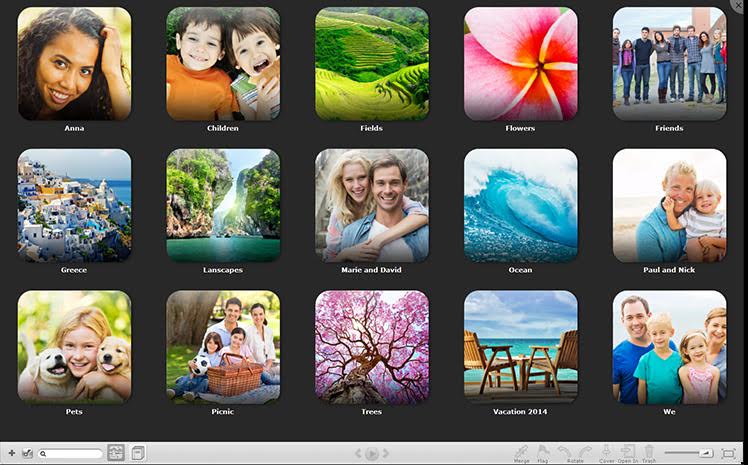
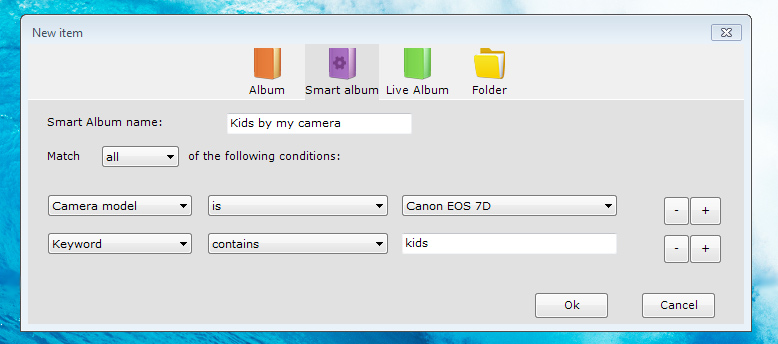
Хотите привести в порядок коллекцию из тысяч фотографий? Phototheca - самый удобный инструмент для организации и структурирования фото. Программа проста в использовании – создавайте и заполняйте поля событий, альбомы и галереи. Отмечайте друзей на фотографиях, добавляйте ключевые слова, метки на карте, а также сортируйте фотографии по модели устройства и дате снимка.
Исправляйте отметки дат на фотографиях, если на камере они были настроены неправильно. Сделайте свою фото библиотеку понятной, изменяйте и структурируйте её на свой вкус.
Системные требования:
Windows XP/ Vista/ 7/ 8; CPU: 1GHz; RAM: 2GB; HDD: 80GB; Graphic adapter: support OpenGL 1.4 or higher; .NET Framework: 3.5 or higher
Разработчик:
Lunarship SoftwareОфициальный сайт:
http://lunarship.com/Размер файла:
15.7 MB
Цена:
$19.95
GIVEAWAY download basket




Комментарии
Понравилась программа? Оставьте комментарий!
On Windows 10 it forces to install itself to C:\Users\\AppData\Local\Phototheca\Application even if you try to set the path to Program Files which will get ignored. This is a non-standard procedure.
Same as Tex Jay here with initial Dot Net script error.
Phototheca appears to be portable "somewhat".
Unusual default setting
---------------------------
Phototheca
---------------------------
There are some small images found in imported files, they will be skipped by default.
You can change this option in Settings->Advanced
---------------------------
OK
---------------------------
Excuse me.... what ?
So I can try now to figure out of well more than 11 thousand photos which are too small to import ?
No deal.
Thanks a bunch, but I will not keep this.

Installed and registered without any difficulty, opened up to an uninspiring interface.
Hoped that this would assist me in organising my family photographs taken over the last six years which are scattered all over my hard drives.
Feel the program has real potential but it has a long way to go; no help file, lack of filters for file type and image size and not even hints when hovering over the various functions.
Many years ago I had a program that would browse your hard drive for images and was hoping this would be similar.
Picasa doesn't fulfil my needs and nor does this program so I suppose I'll just have to keep looking.
Works on Win 10, initial script problem cleared by starting program over. Had a scare when importing photos, program stated it was "moving" not copying photos. Photos were not moved but actually copied to the new folder. Many options available, will keep. Thanks GOTD and Lunarship Software
Not good enough. Scripted mindless transfers that skip photos considered too small to bother with, are not useful.
The user interface looks amateurish.
ACDSee (paid software) knocks the socks off Phototheca.
Used in conjunction with Total Commander, ACDSee is terrific.
The following are good photo organisers, tried tested and proven :
Zoner Photo Studio (giveaway)
FastStone Image Viewer portable freeware
Ashampoo Photo Commander (Ver11 is better than Ver12) (giveaway)
XnView portable freeware
iPhone предложения дня »





Android предложения дня »





Требования: HDD: 80GB. И "чего-такого" мне собираются накачать? Рейтинг как всегда 50\50, а комментариев нет.
Save | Cancel
# mickel 10:48 AM ...а комментариев нет
На англоязычной ветке к этому времени есть 15 комментариев.
Воспользуйтесь ими пока сюда подойдут. Удачи
Save | Cancel