Каждый день мы раздаем лицензионные программы БЕСПЛАТНО!
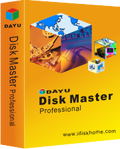
Giveaway of the day — DAYU Disk Master Pro 2.2.7
DAYU Disk Master Pro 2.2.7 был доступен бесплатно 7 октября 2014 г.

DAYU Disk Master — это удобное и надёжное программное решение, которое содержит в себе все небоходимые утилиты для RAM-диска, виртуальных дисков и резервного копирования, восстановления, клонирования, перемещения, изменения размеров, проверки состояния жёсткого диска и др., таким образом повышая производительность и безопасность вашего компьютера.
Основные характеристики:
- Утилита виртуального диска имитирует жёсткий диск во избежание потери данных и способствует более комфортному тестированию программного обеспечения.
- Функция RAM-диска позволяет пользователям повысить работоспособность ПК.
- Полная защита системы позволяет вам легко создать резервную копию и восстановить всю операционную системы в случае крушения.
- Быстрое, лёгкое и безопасное перемещение системы на SSD-накопитель или больший по размеру жёсткий диск для замены или улучшения диска.
Системные требования:
Windows 8.1/ 8/ 7/ Vista/ XP/ Server 2012/ 2011/ 2008/ 2003 (x32/x64); Pentium 500 Mhz and higher; 1 GB RAM and higher
Разработчик:
QILINGОфициальный сайт:
http://www.idiskhome.com/index.php/main/product_proРазмер файла:
21.4 MB
Цена:
$19.00
QILING также предлагает
Самый большой кошмар для пользователя компьютера — это потеря данных и крушение системы, и если такое однажды случилось, безотказные и своевременные резервные копии являются крайне необходимыми и важными. DAYU Disk Master способен восстановить ваши утерянные данные и возобновить систему в случае крушения в считанные минуты. Это передовая и проверенная программа восстановления данных и системы для домашних и офисных компьютеров и ноутбуков. Вы можете заказать DAYU Disk Master Professional со скидкой 65%! Используйте этот код купона, чтобы получить скидку 65%: 346790916
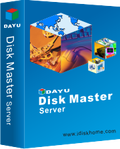
Инновационное приложение, которое предоставляет всё необходимое для RAM-диска, виртуальных дисков и резервного копирования, восстановления, клонирования, перемещения, изменения размеров, проверки состояния жёсткого диска и др., таким образом защищая ваши данные. DAYU Disk Master — это удобное и надёжное программное решение, которое включает в себя набор инструментов для диска с целью повышения производительности и безопасности вашего компьютера. Вы можете заказать DAYU Disk Master Server со скидкой 65%! Используйте этот код купона, чтобы получить скидку 65%: 346790916
Комментарии
Понравилась программа? Оставьте комментарий!
Installed and registered without problems on a Win 8.1.2 bit system.
A Chinese company without name and address, digitally signed Qiong Liu.
The first impression is negative. A version 2.2.7 and still a big Manangement as a Tab label??? And in the options a "remember window size"??? (*)
Upon start the program tries to do something, what should never be done automatically.
Creating pre operating system! Oops, when I read this as something what started without any permission, I was near to kill the task. But helas - in a virtual system you can allow such jokes. It turns out, that the program wants to create a rescue disk - I feared something in the boot management ;-)
Initialize the create rescue disk ...
Creating pre-operating system ...
Complete the create rescue disk. (error 0x7c710104)
But the rescue disk failed with an ErrorCode 0x7c710104 (failed to open file?) without any further help. This does not give trust to the rest of the program.
This program is a backup disk/partition, clone disk, SMART disk information (which does not read the values of an USB attached HD) and a RAMdisk utility, which I did not test.
I have a lot of negative experience with RAM disk - since long I have a 8 GB RAM disk working - finally without problems with program No 5 or 6...
A very simplistic multitool from disk cloning over virtual disk to RAM disk. Does not, what I expect from any program :
Run free of any problems beginning from the start to the program's exit.
The DAYU technology forum does not show a special interest from potential or exiting users.
http://www.idiskhome.com/index.php/forum/index
Uninstalled via reboot.
(*) oh - the program infos show a version 1.0.0.1 -> misleading!

For an excellent RamDisk Software that will create as many "RamDisks" as you wish (subject to the available RAM on your system, including making it load at Startup (optional) so that you can use a "RamDisk" as your "Temp Directories" Location making all actions taking place in "temp files" to run MUCH faster.
Also an OPTION to create a File (ON DISK) to which the contentsd of any Ramdisk you choose may write to at Windows Shut down!
Other options....
I BOUGHT v3.2.2 in March 2012 just a few months before they made it a FREE Program !!!
That's right an EXCELLENT Commercial program (running on my Widows 7 Home Premium Machine) available for FREE!
Current version (as of Sept. 28,2014 was RamDisk v3.4.6
The Download page (and more information is Here:
https://www.softperfect.com/products/ramdisk/
I hope that helps someone!!!
@ ric #4
can you please check (thanks):
No thanks... Sorry, but I cannot check this, simply because of the reason, that my virtualization system is protecting my boot block. For more than one good reason...
In the monitoring of the installation process I did not see an attempt to change the boot block either. I am sure that you understand, that I do NOT disable my virtual system, just to experience changed boot structures ;-)
Greetings from Germany, Karl
Program starts with creating pre-operation (iso) files but it can't create that file ... not even after several attempts ... but in the log file it that creating file was successful ???
It has some bad translations/phrases too ..
Uninstalled without further tryings.
Karl,
can you please check (thanks):
I suspect the "Creating pre-operating system …" does not simply refer to creation of a boot disc.
It may be referring to changes in the PC's BIOS boot menu. Nowadays it has become fashionable for some drive level backup software to offer this "new feature". What it does is insert an item into your BIOS menu to command a restore; before even the Operating System is loaded. Hence the term "Creating pre-operating system …".
Of course the downside is you may not be able to remove that THING from you BIOS menu, if you change to a different drive level backup software.
iPhone предложения дня »




Android предложения дня »





Нагрузил аддонами Firefox, создал RAM диск с помощью DAYU, перенес профиль и кеш на RAM . В итоге получил браузер с навороченным функционалом и высокой скоростью. Недостаток - перед перенастройками RAM надо делать backup профиля, а после реорганизации - restore. Работает на серверной 2CPU MB, OEM XP SP3. Спасибо разработчикам, использую с прошлой раздачи.
Save | Cancel
еще разбираюсь с прогой, но в целом понравилась. Неплохой набор инструментов: создает виртуальный диск, восстанавливает данные, меняет размеры дисков, бекапит, делает миграцию системы по надобности, создает рам диск.
Заинтересовала функция создания виртуального диска, сижу "мудохаюсь" и копаюсь что тут автор приготовил. И как будет работать виртуалка и в виртуале от этой проги.
Лично я лайкаю.
Save | Cancel
Установил на вин 8.1 полет нормальный. Ничего не понял,кроме как создание виртуального диска. Вин 8.1 сам умеет создавать такие диски,зачем сторонняя прога за такие деньги?
Save | Cancel
На 7-ке при запуске показывает ошибку и предлагает переустановить программу. Убогий интерфейс, в SMARTe нового винта показывает кучу несуществующих проблем. Не стал разбираться - снес.
Save | Cancel
На Windows XP SP3 установить не удалось - вылетело в синий экран. С версией с сайта разработчика всё в порядке.
Save | Cancel